
 Shopify
 WooCommerce
TRYONCLOUD ALTERNATIVE
Genlook vs. TryOnCloud
On paper the two apps read almost the same: photo-based AI try-on, a free plan with 10 monthly try-ons, a $19 Starter with email capture. The differences show up when you check each claim against the App Store. Here is the line-by-line.
01 — The short verdict
Familiar on paper.
The feature lists are nearly interchangeable, so this comparison is mostly about what each app can prove: reviews, reach and claims that match the listing.
TryOnCloud
The newer arrival
- Same core flow: photo-based AI try-on on the product page
- Email capture with Klaviyo and webhook integrations
- Launched April 2026, no App Store reviews yet
- Widget listed in English only
- Clothing only, and its site prices differ from its listing
Genlook
The proven original
- 5.0 stars on the App Store, live since September 2025
- Widget auto-translates into 50+ languages
- Clothing plus jewelry, glasses, hats and wigs
- Funnel analytics and a widget A/B tested across real stores
02 — Feature by feature
Where each app stands.
Checked against both App Store listings.
Pricing
Free 10 try-ons monthly, then $19.99/mo for 100
Free 10 try-ons monthly, then $19/mo for 100
Overage
$0.17 on the entry plan
$0.19 on the entry plan
Higher tiers
$29 for 250, $99 for 1,000
$57 for 300, $190 for 1,000, per its listing
Languages
50+ languages, auto-detected
English, per its listing
Categories
Clothing, jewelry, glasses, hats, wigs
Clothing only
Lead capture
Built in, configurable triggers
After the second try-on, syncs to Klaviyo
Analytics
Full funnel, impression to add-to-cart
Dashboard with purchase attribution
Track record
5.0 stars, Built for Shopify, since Sept 2025
No reviews yet, launched April 2026
The part you can't compare on paper.
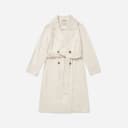
Four generations from the Genlook engine on real product photos.











03 — The real difference
Reading a familiar feature list
When two apps describe themselves in almost the same words, the feature list stops being useful. What separates them is whether the claims hold up when you check.
So check. TryOnCloud's Shopify listing went live in April 2026 and has no reviews yet. Its marketing site describes it as the number one virtual try-on app on the App Store with more than 10,000 active merchants, claims the listing itself does not support. Its site also quotes different prices than its listing: $49 and $145 for the tiers the App Store sells at $57 and $190. None of this makes the product bad, but it does mean the page you are reading it on matters.
How Genlook handles it
Genlook's numbers live where you can verify them. The App Store listing shows 5.0 stars from real merchants since September 2025, with the Built for Shopify badge. The 9.3 second median generation time is measured in production, not quoted from a landing page. And the funnel analytics exist precisely so you never have to take conversion claims on faith: your own dashboard shows impressions, try-ons, captured emails and add-to-cart events from your own store.
Every app starts with zero reviews; Genlook did too. Both apps have free plans, so the honest advice is to test them side by side and let the results decide. Just make sure the claims you compare come from the listings, not the brochures.
04 — In practice
What Genlook is tuned for.
Add-to-cart
The widget flow ends at the cart. Each step is A/B tested against add-to-cart rate.
Email capture
The email ask appears during the try-on. You choose when it triggers and what it says.
Every shopper's language
The widget detects each shopper's language and renders in it, with more than 50 languages covered. No setup.
Funnel analytics
Impressions, opens, uploads, generations and add-to-cart events, reported in the dashboard.
05 — Switching
From TryOnCloud to Genlook, step by step.
Install Genlook
From the Shopify App Store. The free plan needs no card.
Swap the app embeds
In the theme editor, turn TryOnCloud's embed off and Genlook's on. No code changes.
Check the funnel
Try-ons, captured emails and add-to-cart events report from the first session.
06 — Genlook Pricing
Monthly plans with try-ons included.
The Free plan includes 10 try-ons a month and needs no card. Paid plans include more try-ons, and extra ones are billed individually.
FREE
$0
10 try-ons / month
no extra usage on the Free plan
- –10 monthly try-on included
- –Customizable try-on widget
STARTER
$19.99
/mo100 try-ons / month
+ $0.17 per extra try-on
- –100 monthly try-on included
- –Additional try-ons at $0.17/tryon
- –Analytics Dashboard
- –Customers Email Collection
- –Standard Support
GROWTH
MOST POPULAR$29
/mo250 try-ons / month
+ $0.12 per extra try-on
- –250 monthly try-on included
- –Additional try-ons at $0.12/tryon
- –Advanced Analytics
- –Customers Email Collection
- –Standard Support
PRO
$99
/mo1,000 try-ons / month
+ $0.10 per extra try-on
- –1000 monthly generations included
- –Additional try-ons at $0.10/tryon
- –Advanced Analytics
- –Customers Email Collection
- –Remove genlook branding
- –VIP Support
Used by 900+ fashion stores
★★★★★5.0on the Shopify App Store







07 — FAQ
Questions, answered.
The feature lists look identical. What is actually different?↓
Three things you can verify. Genlook renders in 50+ languages where TryOnCloud's listing shows English only. Genlook covers jewelry, glasses, hats and wigs alongside clothing, where TryOnCloud is apparel only. And Genlook has a public track record: 5.0 stars since September 2025, against a listing launched in April 2026 with no reviews yet.
Is TryOnCloud cheaper than Genlook?↓
At the entry, they are a dollar apart: $19 versus $19.99 for 100 monthly try-ons, with Genlook's overage slightly lower at $0.17 versus $0.19. Above that, Genlook is cheaper per its listing: $29 for 250 and $99 for 1,000, against TryOnCloud's $57 for 300 and $190 for 1,000. Note that TryOnCloud's own site quotes different prices than its Shopify listing.
Does TryOnCloud handle jewelry or glasses?↓
No. TryOnCloud describes itself as garment try-on only. Genlook renders jewelry, glasses, hats and wigs at true scale on the shopper's photo, alongside its core clothing try-on.
Can I compare Genlook and TryOnCloud before deciding?↓
Yes, and you should. Both apps have free plans with 10 monthly try-ons. Duplicate your theme, enable Genlook's embed on the preview, and compare the results on your own products.
Will the widget slow my product pages?↓
No. Genlook loads after your page renders and adds nothing to your theme code, so your Core Web Vitals stay where they are.
Further reading
What is virtual try-on? →ROI calculator →Try it on your own products.
Install Genlook free on your Shopify store and compare it with your current setup on a theme preview.