
The Ultimate Virtual Try-On for Shopify
Seamlessly integrate an AI fitting room into your Shopify store. Give your customers the confidence to buy by letting them visualize your products on themselves. Proven to boost conversions and slash return rates.
 Install on Shopify

Select Style
Why Shopify Merchants Love Genlook
We didn't just port an app. We built Genlook specifically to leverage Shopify's latest features for maximum performance and ease of use.
Theme Editor 2.0
Drag and drop the Virtual Try-On button anywhere on your product page using Shopify's Theme Editor. No coding required.
Lightning Fast
Optimized for Core Web Vitals. Our lightweight script ensures your store remains fast and responsive.
Mobile First
70% of fashion traffic is mobile. Genlook is designed for a thumb-friendly, seamless mobile experience.
Privacy Focused
GDPR compliant. Customer photos are encrypted and automatically deleted after 7 days. We prioritize trust.
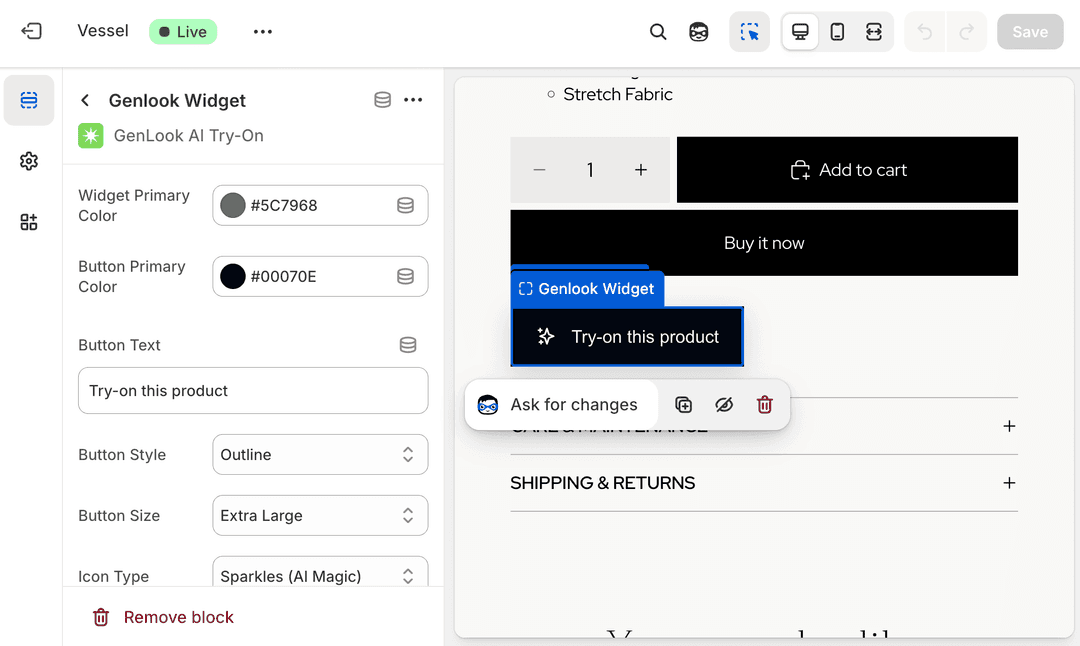
Native Shopify Experience
Forget clunky iframes or mismatched designs. Genlook integrates natively into your store's theme.
- Compatible with Online Store 2.0 themes (Dawn, etc.)
- Customizable colors and styles to match your brand
- Smart positioning near 'Add to Cart' buttons
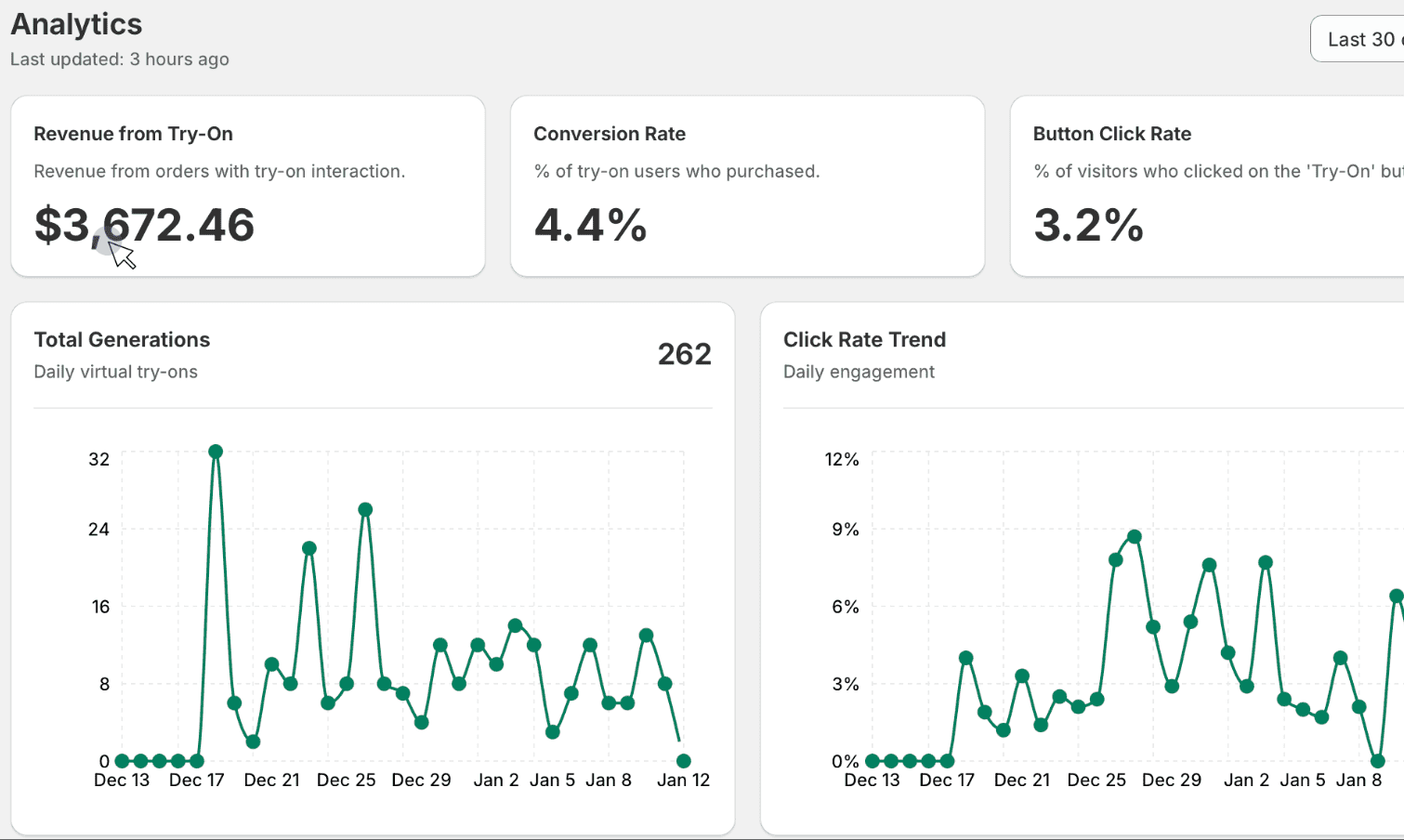
Data That Drives Growth
Don't fly blind. Our built-in analytics dashboard helps you understand how virtual try-on impacts your bottom line.
- Track Widget Engagement & Upload Rates
- Measure Conversion Uplift from Try-On Users
- Collect Emails for Retargeting Campaigns

Sell Globally
Your store isn't limited by borders, and neither is your fitting room. Genlook speaks your customers' language.
- Auto-detects store language
- Supports English, French, Spanish, Chinese, and more
- Localized interface for a seamless experience
Get Started in 3 Simple Steps
Install the App
Find Genlook on the Shopify App Store and click Install. It takes less than a minute.
Enable in Editor
Go to your Theme Editor, add the Genlook block to your Product Page, and hit Save.
Select Products
Choose which collections or products should have the Virtual Try-On button enabled.
FAQ
Frequently Asked Questions
Common questions about our Shopify integration.
Does it work with my Shopify theme?↓
Will it slow down my store?↓
How does the pricing work for Shopify?↓
Do I need to upload 3D models of my clothes?↓
Still have questions?
Ready to Transform Your Shopify Store?
Join the revolution of AI commerce. Increase engagement, reduce returns, and sell more.