
 Shopify
 WooCommerce
AI SIZE CHART · WAITING LIST
An AI size chart that will recommend a size to each shopper.
Genlook will read each garment's measurements from your catalog. It will learn about the shopper from a photo, the brands they wear and the orders they kept. Then it will show one size on the product page, for example your size is M.
We open stores in batches. Send your store URL and we will tell you which batch you are in.
 From her photoBuild and proportions, without measuring
01 · The problem
Size charts leave shoppers to work out their own size.
Most product pages already have a size chart, and shoppers still order two sizes. A table asks the shopper to measure themselves, convert units and guess how much room the cut leaves. Few shoppers do this on a phone with a cart open.
Read about bracketing →02 · On the product page
The recommended size will appear next to your size options.
Shoppers will not need to open a popup or a separate chart page. The recommendation will appear above the add to cart button in your theme's fonts.

MAISON RUE
Green Sport Tee
€24.90
Size
✳Your size is M. This cut runs large.
Shown with the size options
The recommendation will appear next to the size buttons the shopper already uses.
Uses your theme's styling
It will install without changes to your theme code. The recommendation uses your storefront's fonts and colors.
Shows your store's name
The size finder will be white-label. It will show your store's name instead of Genlook's.
03 · Inputs
Five inputs about the shopper and the garment.
The size finder will work with whatever information the shopper chooses to give. One input can be enough for a recommendation. Each extra input is added to the same estimate.
04 · The recommendation
One recommended size with a short reason.
Genlook will explain each recommendation in one sentence. The shopper can read the reason and pick a different size if they know better.
05 · Garment charts
Genlook builds a size chart for each product.
Each recommendation needs real garment measurements. Genlook will build a chart for each product from the catalog data you already publish.
One chart per product
Two cuts with the same label size get separate charts, because they can fit differently.
Built from your catalog
It will use your titles, descriptions, variant options, supplier sheets and photos. You don't need to write anything new.
You can edit each chart
When you change a measurement, every recommendation that uses it updates. Shoppers who prefer a table can still read the chart.
06 · Alongside try-on
Try-on and size recommendations from the same photo.
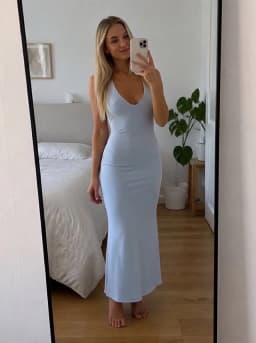
Virtual try-on shows shoppers how a piece looks on them. The size finder will recommend which size to order. Both will use the same photo upload and the same consent.
07 · Platforms
Planned for the platform you already use.
The size finder will run on the same store platform as the rest of Genlook. If we can read your catalog, we can build the charts and show recommendations on your store.
Tell us yours on the waiting list form and we will confirm what the first batch supports.
08 · Waiting list
Put your store in the first batch.
Leave your email and your store URL. We will review your catalog, check how much product data it has for size recommendations, and tell you which batch you are in.
We open stores in batches. Send your store URL and we will tell you which batch you are in.
Other names for this tool
Merchants look for this kind of tool as a size chart app, size guide, fit finder or size recommendation software. If you only need a static table today, our free size chart generator builds one in a minute, and the size chart glossary entry covers the basics.
FAQ
Questions about the AI size chart
Everything else is in the docs, or ask us directly at hello@genlook.app.
When does it launch?
Is this a size chart app for Shopify?
How is this different from a size chart generator?
Does the shopper have to upload a photo?
How accurate can it be without measurements?
What if a recommendation is wrong?
Do I need the virtual try-on app to use it?
What happens to shopper photos and data?
Still have questions?
Join the AI size chart waiting list.
Send your store URL. We will tell you how well your catalog data can support size recommendations.