
 Shopify
 WooCommerce
LOOKSY ALTERNATIVE
Genlook vs. Looksy
Looksy and Genlook both generate AI try-ons from a shopper photo, and both carry the Built for Shopify badge. The differences sit around the try-on: languages, lead capture, speed and analytics. Here is how they compare.
01 — The short verdict
Same generation, different priorities.
Both apps are photo-based AI try-on for fashion, installed as a Shopify app embed. They part ways in what surrounds the generation.
Looksy
Built around a minimal widget
- Clean photo-based AI try-on with a strong privacy stance
- Slightly cheaper entry: paid plans from $14.99/mo
- Widget listed in English only
- Email capture reserved for its enterprise tier
Genlook
Built around the funnel
- Widget auto-translates into 50+ languages
- Email capture on standard plans, with configurable triggers
- 9.3s median generation time
- Funnel analytics, impression through add-to-cart
02 — Feature by feature
Where each app stands.
Checked against both App Store listings.
Pricing
Free plan, paid from $19.99/mo
Free plan, paid from $14.99/mo
Generation speed
9.3s median
About 20s, per its site
Languages
50+ languages, auto-detected
English, per its listing
Lead capture
Built in, configurable triggers
Enterprise tier only
Analytics
Full funnel, impression to add-to-cart
Revenue and usage analytics on paid plans
Social sharing
Share links included
Not listed
Integrations
Klaviyo, Flow, Shopify admin
Shopify admin, Checkout
Track record
5.0 stars, Built for Shopify, live since Sept 2025
5.0 stars, Built for Shopify, live since Dec 2025
The part you can't compare on paper.
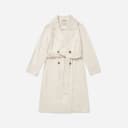
Four generations from the Genlook engine on real product photos.











03 — The real difference
What happens around the try-on
On the core experience, these two apps genuinely resemble each other. A shopper uploads a photo, an AI model generates them wearing the garment, and the result appears on the product page. Both are recent, both are rated 5.0, and both passed Shopify's Built for Shopify review. Looksy deserves credit for its privacy posture too: it makes a point of not storing shopper photos at all.
The gap opens around the generation. Looksy keeps the widget deliberately minimal: English interface, analytics on paid plans, and email capture only as part of its enterprise customization tier.
How Genlook handles it
Genlook treats the try-on as a step in the funnel rather than a feature on its own. The widget detects the shopper's language and renders in it, more than 50 covered. The email ask lands during the try-on, on standard plans, with triggers you configure. Every step from impression to add-to-cart reports to the dashboard, and captured emails sync to Klaviyo.
If you want the smallest possible widget with a strict privacy stance, Looksy is a clean pick. If your traffic is international or you want each try-on to leave something behind, an email, a data point, a retargetable shopper, that is what Genlook is built around.
04 — In practice
What Genlook is tuned for.
Add-to-cart
The widget flow ends at the cart. Each step is A/B tested against add-to-cart rate.
Email capture
The email ask appears during the try-on. You choose when it triggers and what it says.
Every shopper's language
The widget detects each shopper's language and renders in it, with more than 50 languages covered. No setup.
Funnel analytics
Impressions, opens, uploads, generations and add-to-cart events, reported in the dashboard.
05 — Switching
From Looksy to Genlook, step by step.
Install Genlook
From the Shopify App Store. The free plan needs no card.
Swap the app embeds
In the theme editor, turn Looksy's embed off and Genlook's on. No code changes.
Check the funnel
Try-ons, captured emails and add-to-cart events report from the first session.
06 — Genlook Pricing
Monthly plans with try-ons included.
The Free plan includes 10 try-ons a month and needs no card. Paid plans include more try-ons, and extra ones are billed individually.
FREE
$0
10 try-ons / month
no extra usage on the Free plan
- –10 monthly try-on included
- –Customizable try-on widget
STARTER
$19.99
/mo100 try-ons / month
+ $0.17 per extra try-on
- –100 monthly try-on included
- –Additional try-ons at $0.17/tryon
- –Analytics Dashboard
- –Customers Email Collection
- –Standard Support
GROWTH
MOST POPULAR$29
/mo250 try-ons / month
+ $0.12 per extra try-on
- –250 monthly try-on included
- –Additional try-ons at $0.12/tryon
- –Advanced Analytics
- –Customers Email Collection
- –Standard Support
PRO
$99
/mo1,000 try-ons / month
+ $0.10 per extra try-on
- –1000 monthly generations included
- –Additional try-ons at $0.10/tryon
- –Advanced Analytics
- –Customers Email Collection
- –Remove genlook branding
- –VIP Support
Used by 900+ fashion stores
★★★★★5.0on the Shopify App Store







07 — FAQ
Questions, answered.
Is Looksy cheaper than Genlook?↓
At the entry point, slightly: Looksy's Starter is $14.99 per month for 100 try-ons, Genlook's is $19.99 for the same volume, and both have free plans. At five dollars apart, the decision usually comes down to features: languages, lead capture and integrations rather than price.
What is actually different if both use AI try-on?↓
The generation itself is comparable. The differences are around it: Genlook renders in 50+ languages, captures emails on standard plans, syncs to Klaviyo, and reports the full funnel from impression to add-to-cart. Looksy keeps the widget minimal, with email capture reserved for its enterprise tier and an English-only interface.
Which app is faster?↓
Genlook's median generation time is 9.3 seconds. Looksy's site describes results in about 20 seconds. Both are fast enough for a product page; shorter waits keep more shoppers through to the result.
Can I compare Genlook and Looksy before deciding?↓
Yes. Duplicate your theme, enable Genlook's embed on the preview, and compare it against Looksy on your live theme. Both free plans make the test free.
Will the widget slow my product pages?↓
No. Genlook loads after your page renders and adds nothing to your theme code, so your Core Web Vitals stay where they are.
Further reading
What is virtual try-on? →ROI calculator →Try it on your own products.
Install Genlook free on your Shopify store and compare it with your current setup on a theme preview.