
 Shopify
 WooCommerce
 API
APIVirtual try-on for jewelry.
Close-up product shots make it hard to picture how a piece looks when worn. Genlook shows your necklaces and earrings on the shopper's own photo, right on the product page.
Free plan, no card needed

 8.2 s
8.2 sFree plan, no card needed
Used by 900+ fashion stores








Examples of jewelry try-ons
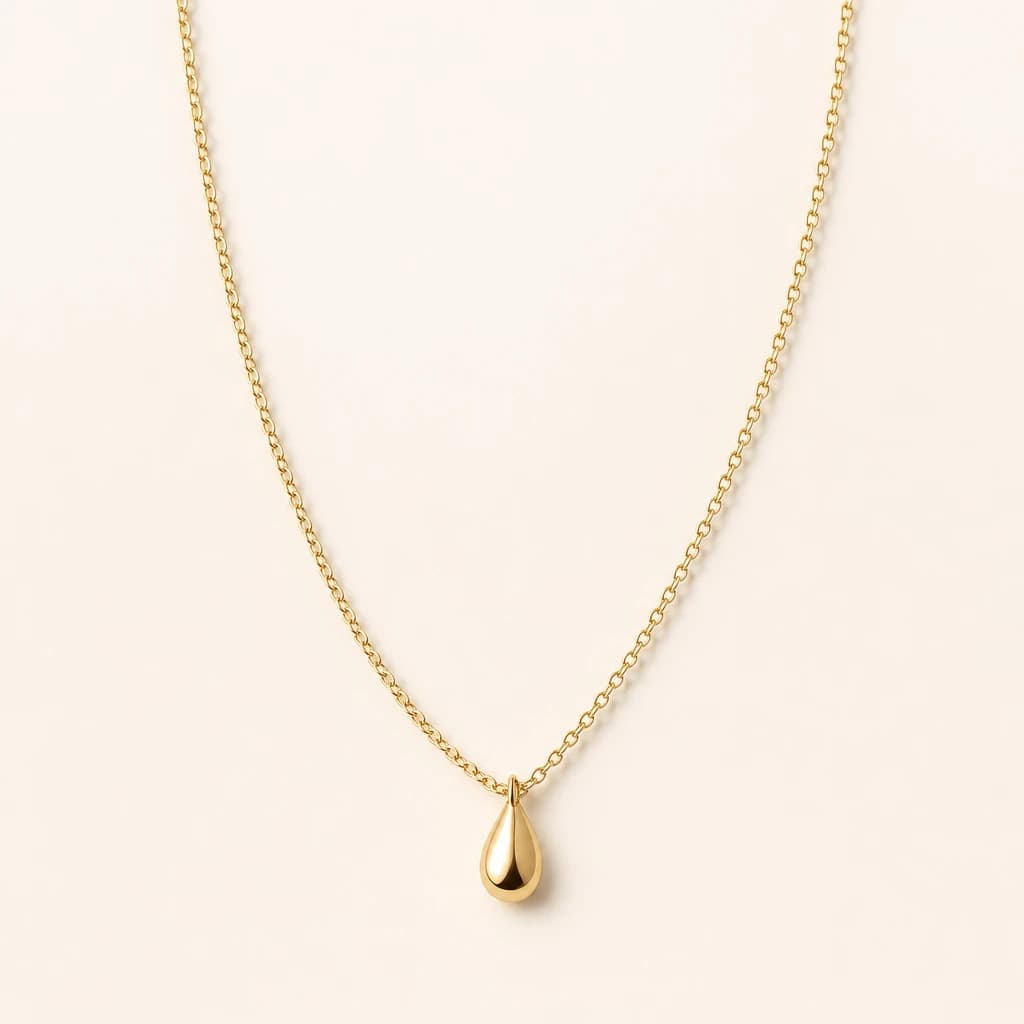
Same shopper photo, different pieces, each with the product photo it came from.


Close-up jewelry photos make it hard to picture a piece when worn
Jewelry is photographed close up to show detail, so shoppers can't easily tell how large a pendant looks or where a chain sits on them. For expensive pieces and gifts, that uncertainty often stops the order.
- Close-up photos make it hard to judge how a piece looks when worn
- A chain length in inches is hard to picture on your own neck
- Genlook shows the piece on the shopper's own photo, on the product page
Genlook900+
fashion stores use Genlook
5.0
rating on the Shopify App Store
8.2s
median time per try-on
Choker to drop earring
jewelry types supported
Try-on for necklaces, chokers, hoops and drop earrings
Layered chains, pendants and hoops each sit differently. The try-on places each piece on the neck or ears where it is worn.
How Genlook renders necklaces and earrings
Shown as worn
The piece appears on the shopper's neck or ears, so they can see how it looks with their face and outfit. List dimensions on the product page for exact sizing.
Metal and stones keep their shine
Gold, silver and gemstone reflections carry over from your product photos.
Chains follow the neckline
Necklaces fall around the collarbone, following the chain and pendant in your product photo.
Detects necklaces and earrings
Genlook reads the product photo and places the piece on the neck or the ears automatically.
Where stores use try-on
Product pages
Shoppers see how the pendant and chain look on their own neck, next to the add-to-cart button.
Gifting traffic
Gift buyers can see how a piece looks when worn before they choose it.
New arrivals
Link arrival emails to product pages with try-on so shoppers can see new pieces on themselves.
Why jewelry shoppers hesitate online
Jewelry's base return rate is a comparatively low 12%, but doubt shows up earlier in the funnel. Expensive carts are abandoned because shoppers can't picture how the piece will look on them. Chain lengths in inches and pendant sizes in millimeters are precise, but they are hard to picture without a mirror.
Showing the piece on the shopper's own photo gives them a view similar to trying it on at a jewelry counter. Try-on shows how the piece looks. It doesn't show exact size, so keep dimensions on the product page. Gift buyers can use it too, to see how a piece looks when worn. The live demo shows the render quality, and what virtual try-on is covers the technology behind it.
Frequently asked questions
Do I need 3D models or AR files for each piece?
No. AR try-on apps usually need a 3D model of every piece. Genlook generates the try-on from the product photos you already have, so a new piece can be tried on as soon as it is listed.
Does it work on Shopify?
Yes. Install Genlook from the Shopify App Store and turn on the app embed. The try-on button appears next to add to cart on your jewelry product pages. Genlook also runs on WooCommerce and PrestaShop.
Does it work for both necklaces and earrings?
Yes. Genlook detects whether the product is a necklace, placed around the collarbone, or earrings, placed on the earlobes.
Does try-on show the exact size of a piece?
No. Try-on shows how the piece looks when worn: its style, color and placement. It doesn't measure the shopper. Keep chain lengths and pendant dimensions on the product page for sizing.
Can it handle layered necklaces?
Yes. If your product photo shows a layered set, the whole set is placed across the neckline.
Do I need macro or on-model photos?
Either works. A clean product photo is enough. If you have an on-model photo, Genlook uses whichever shows the piece best.
Are shoppers' photos private?
Yes. Photos are encrypted in transit and at rest, never used to train AI models, and deleted automatically after 7 days.
What does it cost?
Genlook has a Free plan with 10 try-ons a month, and no card is required. Paid plans include more try-ons each month. Shoppers who only browse don't use any try-ons.
Available on
Or use the Try-On API for a custom store.
 PrestaShop module