
 Shopify
 WooCommerce
SWAN ALTERNATIVE
Genlook vs. Swan
Swan asks shoppers for an account and a body scan, and returns exact measurements. Genlook asks for one photo and returns the look. They are different bets on what closes a sale. Here is how the two compare.
01 — The short verdict
Measurements or the mirror.
Both apps attack the same doubt, 'will this fit me?', from opposite ends: Swan with numbers, Genlook with a picture.
Swan
Built around sizing
- 30-point body scan, sizing accurate to about 1cm
- Made-to-measure tier with full tailoring measurements
- Shoppers must create an account and scan before trying on
- Plans take a share of sales: $9/mo plus 3%, or $199/mo plus 1.75%
- Onboarding needs your manufacturing data and tech packs
Genlook
Built around the look
- Guest flow: one photo, no account, no scan
- Flat pricing with a free plan, no share of sales
- Works from your existing product photos, no tech packs
- 50+ languages and email capture built in
02 — Feature by feature
Where each app stands.
Checked against both App Store listings.
Shopper flow
Upload one photo as a guest
Create an account, then a one-minute body scan
Pricing model
Flat plans: free, then from $19.99/mo
$9/mo plus 3% of Swan-powered sales
Revenue share
None
1.75% to 3%, depending on plan
Primary output
Themselves wearing the garment
A size recommendation from measurements
Made-to-measure
Not offered
Dedicated $495/mo tier
Merchant onboarding
Enable products, done
Manufacturing data and tech packs
Languages
50+ languages, auto-detected
English, per its listing
Track record
5.0 stars, Built for Shopify
2.4 stars, live since 2023
The part you can't compare on paper.
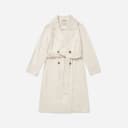
Four generations from the Genlook engine on real product photos.











03 — The real difference
Two theories of buying confidence
Swan treats fit as a measurement problem. The shopper creates a profile, runs a one-minute smartphone body scan, and Swan holds 30 measurements accurate to about a centimeter. From there it can recommend a size for every garment whose manufacturing data you have uploaded, and its $495 tier extends into full made-to-measure tailoring. For custom clothing, or technical garments where a centimeter genuinely decides a return, that machinery earns its keep.
The machinery has a price on both sides. Shoppers commit to an account and a scan before they see anything, and merchants feed in tech packs and garment measurements, then share 3% of Swan-powered sales on the $9 plan, or 1.75% on the $199 plan.
How Genlook handles it
Genlook treats fit as a confidence problem. Most shoppers do not abandon a cart because they lacked a measurement; they abandon it because they could not picture themselves in the garment. So the flow is one photo, uploaded as a guest, and seconds later the shopper sees themselves wearing the product. No account, no scan, no manufacturing data, and flat pricing that starts free with no share of your sales.
If you sell made-to-measure or precision-fit garments, Swan is the sizing specialist and the comparison ends there. For ready-to-wear, the shorter path to "that looks good on me" is usually the one that converts.
04 — In practice
What Genlook is tuned for.
Zero-friction try-on
Guest flow, one photo, results in seconds. No account creation between the shopper and the product.
Add-to-cart
The widget flow ends at the cart. Each step is A/B tested against add-to-cart rate.
Every shopper's language
The widget detects each shopper's language and renders in it, with more than 50 languages covered. No setup.
Email capture
The email ask appears during the try-on. You choose when it triggers and what it says.
05 — Switching
From Swan to Genlook, step by step.
Install Genlook
From the Shopify App Store. The free plan needs no card.
Swap the app embeds
In the theme editor, turn Swan's embed off and Genlook's on. No code changes.
Check the funnel
Try-ons, captured emails and add-to-cart events report from the first session.
06 — Genlook Pricing
Monthly plans with try-ons included.
The Free plan includes 10 try-ons a month and needs no card. Paid plans include more try-ons, and extra ones are billed individually.
FREE
$0
10 try-ons / month
no extra usage on the Free plan
- –10 monthly try-on included
- –Customizable try-on widget
STARTER
$19.99
/mo100 try-ons / month
+ $0.17 per extra try-on
- –100 monthly try-on included
- –Additional try-ons at $0.17/tryon
- –Analytics Dashboard
- –Customers Email Collection
- –Standard Support
GROWTH
MOST POPULAR$29
/mo250 try-ons / month
+ $0.12 per extra try-on
- –250 monthly try-on included
- –Additional try-ons at $0.12/tryon
- –Advanced Analytics
- –Customers Email Collection
- –Standard Support
PRO
$99
/mo1,000 try-ons / month
+ $0.10 per extra try-on
- –1000 monthly generations included
- –Additional try-ons at $0.10/tryon
- –Advanced Analytics
- –Customers Email Collection
- –Remove genlook branding
- –VIP Support
Used by 900+ fashion stores
★★★★★5.0on the Shopify App Store







07 — FAQ
Questions, answered.
Do shoppers need an account to use Genlook?↓
No. Genlook runs as a guest flow: the shopper uploads a photo and sees the result, with nothing to sign up for. Swan requires an account and a body scan before the try-on, because its sizing profiles need somewhere to live.
Does Genlook take a percentage of my sales?↓
No. Genlook's plans are flat: a free plan, then $19.99, $29 and $99 per month by try-on volume. Swan's plans combine a monthly fee with a share of Swan-powered sales, 3% on the $9 plan and 1.75% on the $199 plan.
Does Genlook tell shoppers what size to order?↓
Not yet. Genlook shows the shopper how the garment looks on them; an AI size chart is coming. If centimeter-level sizing or made-to-measure is the core of your business, Swan is the specialist for that job.
What does Genlook need from me at onboarding?↓
Just your product catalog as it is. The engine works from your existing product photos, with no tech packs, garment measurements or manufacturing data to upload.
Will the widget slow my product pages?↓
No. Genlook loads after your page renders and adds nothing to your theme code, so your Core Web Vitals stay where they are.
Further reading
What is virtual try-on? →ROI calculator →Try it on your own products.
Install Genlook free on your Shopify store and compare it with your current setup on a theme preview.