
 Shopify
 WooCommerce
On October 1, 2026, OpenAI launched a Try on button in ChatGPT. Shoppers upload a selfie or a full-body photo, and ChatGPT shows clothing and accessories on them. The feature is available globally, on web and mobile, and runs on OpenAI's new image model, ChatGPT Images 2.5.
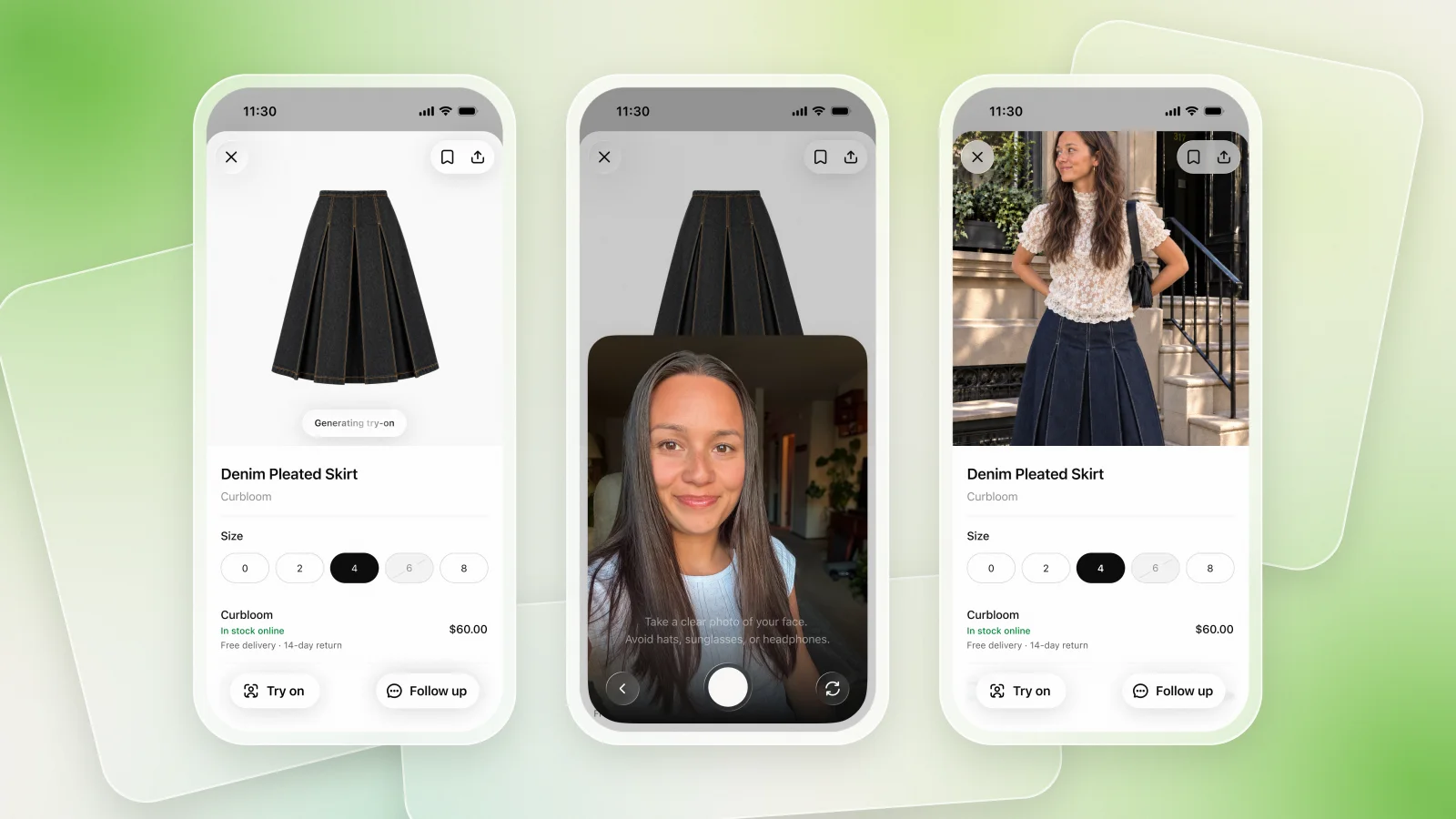
How It Works
- A Try on button in ChatGPT shopping results, on clothing and accessory listings.
- A saved reference photo. The shopper uploads it once and ChatGPT reuses it for every try-on. It can be changed or deleted in Settings > Personalization > Reference photos.
- Screenshots work too. A shopper can upload a screenshot of a product from any store and ask ChatGPT to try it on.
- Favorites. Products can be saved to a Library inside ChatGPT for later.
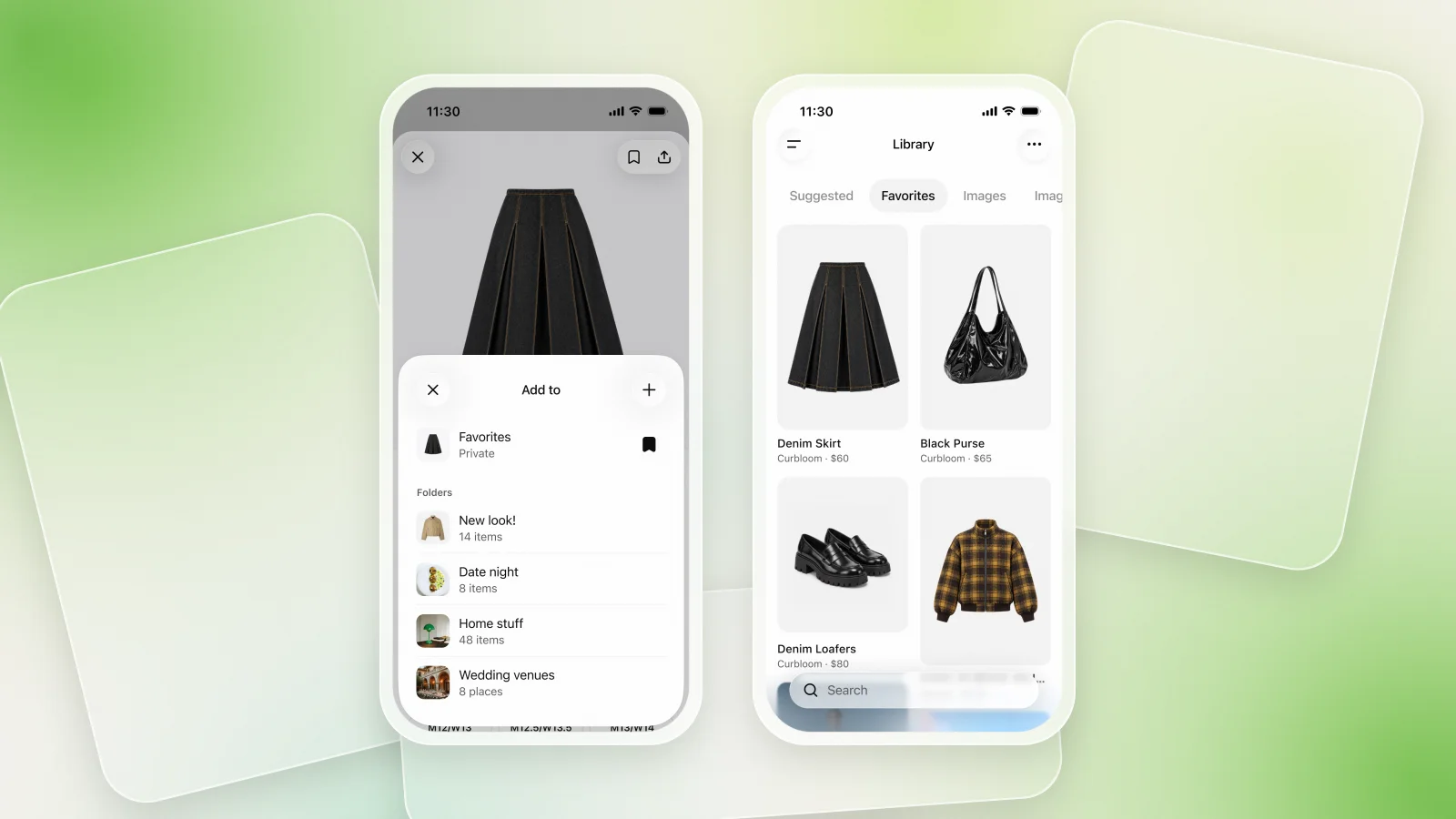
OpenAI notes that the images "do not guarantee fit or size." Like every AI try-on, it shows how a piece looks on someone, not whether a size will fit.
It Only Exists Inside ChatGPT
The important detail for merchants: this try-on lives in the ChatGPT interface only. It is not a feature you can add to your store, and it does not appear on your product pages.
In practice, that means:
- Shoppers on your site don't get it. A visitor on your product page still sees your usual photos. To try something on, they have to screenshot it and leave for ChatGPT.
- You don't see it. Try-ons in ChatGPT don't show up in your analytics. You can't tell which products were tried on or whether a try-on led to an order.
- Other stores are one message away. In the same conversation, ChatGPT can suggest similar items from competitors.
- No branding, no follow-up. The experience happens in ChatGPT's interface, and the shopper relationship stays there.
The Purchase Still Happens on Your Store
OpenAI launched Instant Checkout in ChatGPT in late 2025 and removed it in March 2026: shoppers researched in ChatGPT but preferred to buy on the retailer's own website. ChatGPT is now a discovery tool that sends shoppers to merchants to buy.
So the likely journey is: a shopper tries a few options on in ChatGPT, then clicks through to your product page to purchase. Shoppers will increasingly expect to see products on themselves. Whether they get that on your product page is up to you.
Try-On on Your Own Product Pages
| ChatGPT Try on | Try-on on your store | |
|---|---|---|
| Where | ChatGPT app only | Your product pages |
| Product image | Listing or shopper screenshot | Your own product photos |
| Analytics | None for the merchant | Try-ons and attributed orders |
| Branding | ChatGPT | Your store |
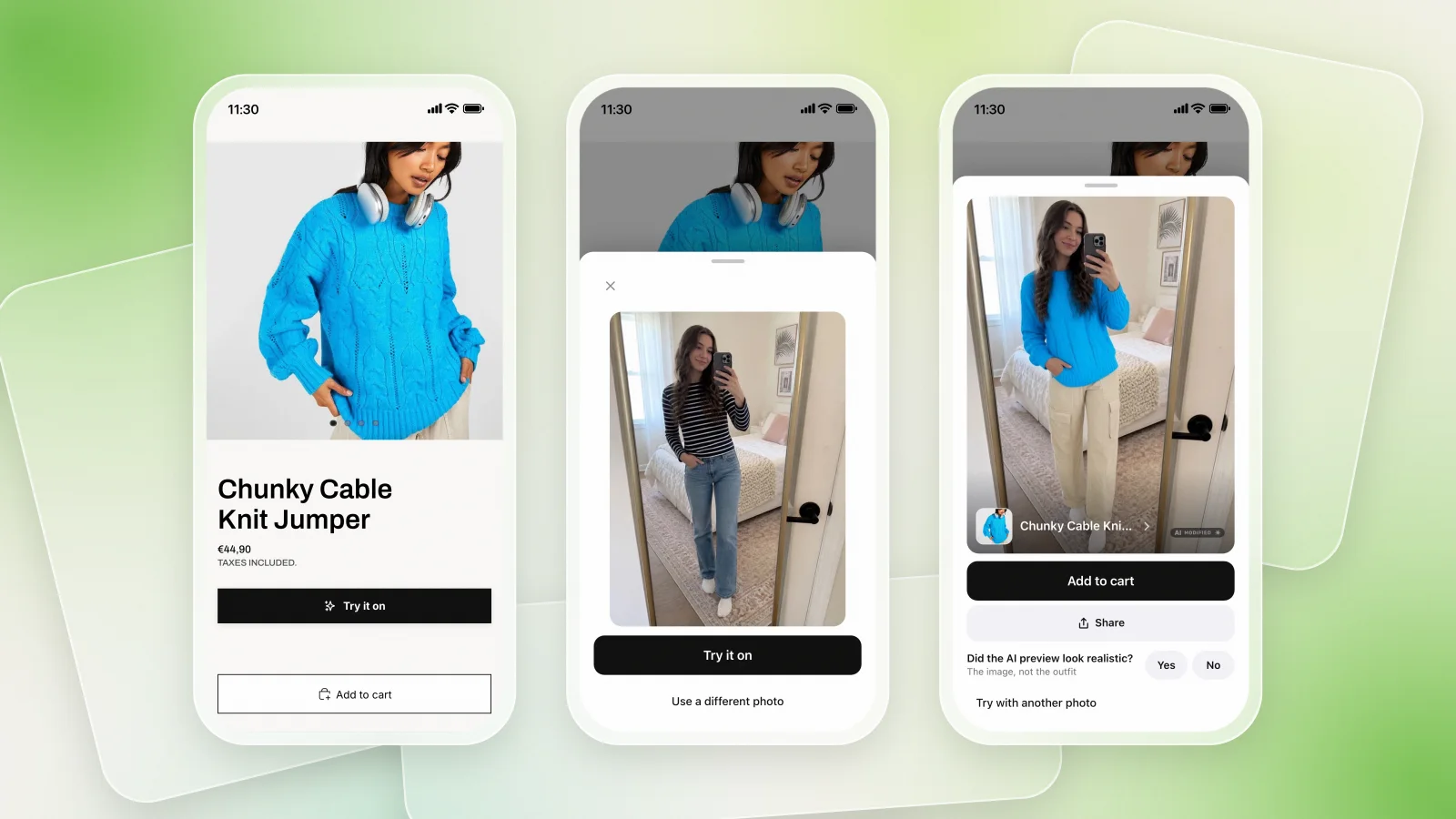
Genlook adds virtual try-on directly to your product pages on Shopify, WooCommerce and PrestaShop. It is plug and play, with no code and no theme changes, and it shows you which try-ons turned into orders.
FAQ
Questions, answered.
Does ChatGPT have virtual try-on?↓
Yes. Since October 1, 2026, ChatGPT has a Try on button for clothing and accessories. Shoppers upload a photo of themselves and ChatGPT generates an image of them wearing the item. It is available globally on web and mobile.
Can I add ChatGPT's try-on to my store?↓
No. ChatGPT's try-on only works inside the ChatGPT interface. To offer try-on on your own product pages, you need an on-site virtual try-on app or plugin for your platform.
Can shoppers buy directly in ChatGPT?↓
OpenAI removed Instant Checkout from ChatGPT in March 2026. ChatGPT now focuses on product discovery and sends shoppers to the merchant's website to complete the purchase.