
 Shopify
 WooCommerce
 API
APIVirtual try-on for print on demand.
Most POD stores show their designs on the same mockup templates. Genlook adds a try-on button to your product pages, so shoppers can see your design on their own photo. It works from the Printful or Printify images you already have, without samples or a photoshoot.
Free plan, no card needed

 8.2 s
8.2 sFree plan, no card needed
Used by 900+ fashion stores








Example print on demand try-ons
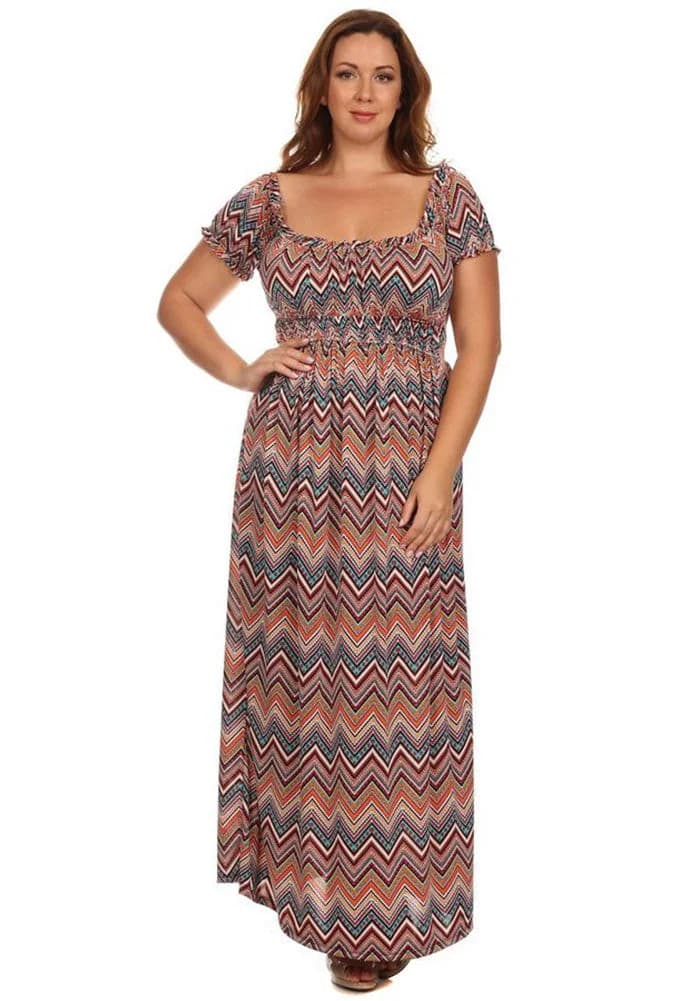
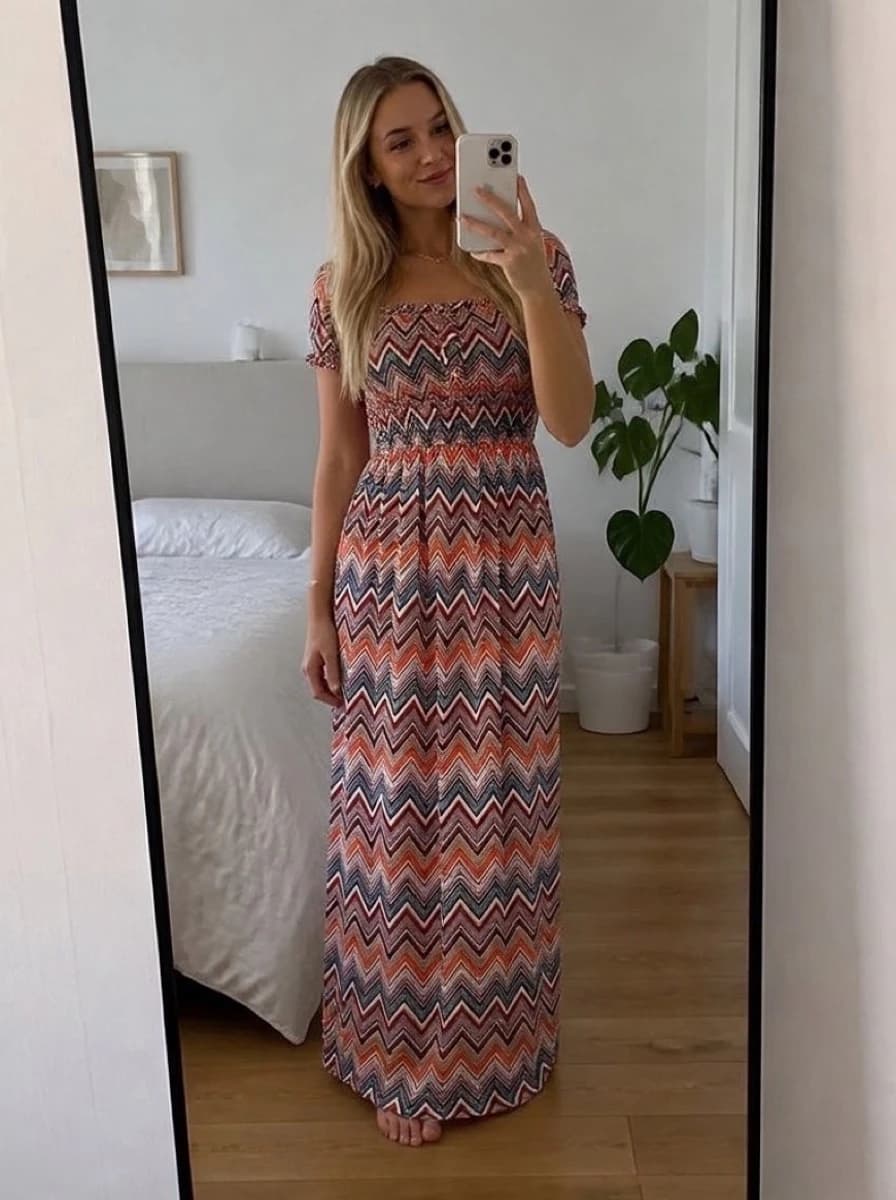
Four designs on two shoppers. Each result is shown next to the mockup it was made from.





POD stores often show the same mockups as their competitors
POD sellers compete on design, but most present it on the same templates from their fulfillment provider. The designs differ, while the product pages look alike. That makes it harder to justify a higher price.
- Flat mockups don't show how a print looks on a person
- On the same template, a $38 tee looks much like a $12 one
- Genlook shows the design on the shopper, generated from your mockup
 Genlook
900+
fashion stores use Genlook
5.0
rating on the Shopify App Store
8.2s
median time per try-on
No samples
try-on works from your mockup images
Try-on for printed tees, hoodies, dresses and more
Chest prints, all-over prints and embroidery each sit differently on a garment. Genlook shows each one on the shopper's photo.
How Genlook creates try-ons from POD mockups
Works from your mockups
Genlook uses the Printful or Printify images you already upload. You don't need samples on hand.
Keeps the design readable
Genlook places your print on the garment in the shopper's photo and keeps the design recognizable.
Ready for new designs
Try-on works on each new product you list, so you can launch designs as often as you like.
Shareable results
Shoppers can share a try-on with a link, which shows your design to their friends.
Where stores use try-on
Product pages
Shoppers see your design on their own photo, next to the mockup and the add-to-cart button.
Design launches
New designs get try-on as soon as they are listed, so shoppers can see each new print on themselves.
Email & restocks
Link launch and restock emails to product pages with try-on.
Why presentation matters for print on demand stores
Print on demand removes inventory risk, and with it the chance to photograph your own products. Stores on the same fulfillment provider use the same mockup templates, so their product pages look alike. Meanwhile 40% of apparel returns come from size and fit expectations, and a flat template gives shoppers little to go on.
A try-on generated from the mockup shows your product on a person, specific to each visitor, without printing any samples. It shows how the design looks on the shopper, and your size chart still covers size. The live demo shows example results, and the wider trends are covered in AI trends in fashion e-commerce.
Frequently asked questions
Does it work with Printful and Printify mockups?
Yes. Genlook works with the standard mockup images POD apps generate. Use them as your product photos and enable try-on from the dashboard.
Do I need model photos or inventory?
No. Shoppers provide their own photo when they try a product on. You only need the mockup or product image already listed on your store.
Can shoppers share their try-on?
Yes. Shoppers can share a try-on result with a link.
Does it handle all-over prints?
Yes. All-over print garments are shown with the pattern following the garment on the shopper's body.
Are shoppers' photos private?
Yes. Photos are encrypted in transit and at rest, never used to train AI models, and deleted automatically after 7 days.
What does it cost?
The Free plan includes 10 try-ons a month, and no card is required. Paid plans include more try-ons each month.
Available on
Or use the Try-On API for a custom store.
 PrestaShop module